Bookmark this page or save it to your phone's homescreen
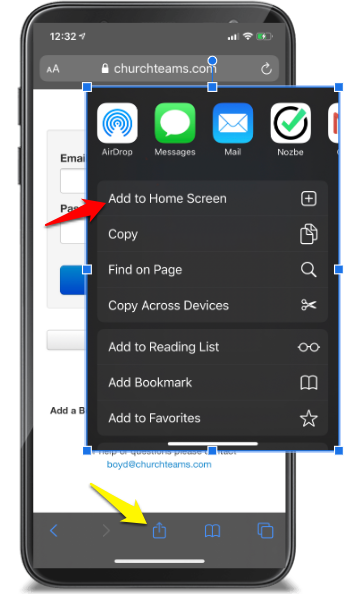
iPhone or iPad |
- Touch the Apple Share icon (yellow arrow).
- Then touch the "Add to Home Screen" icon (red arrow).
- The Churchteams icon / app will be placed on your home screen.
|
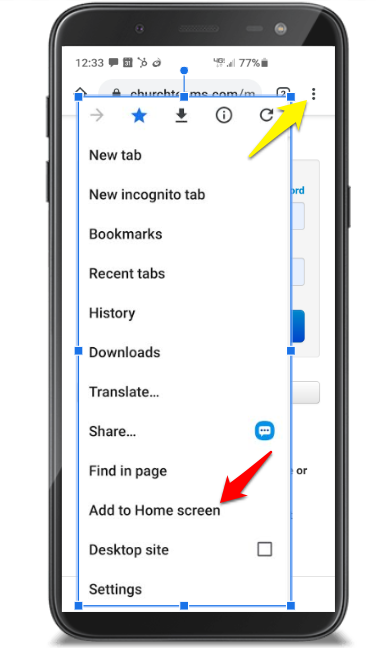
Android Phone or Tablet |
- Click the three dots in the upper right of the Chrome browser (yellow arrow)
- Select "Add to Home Screen" (red arrow).
- The Churchteams icon / app will be placed on your home screen.
|
For help or questions please contact Curt Walters at
curtw@crosspointweb.org